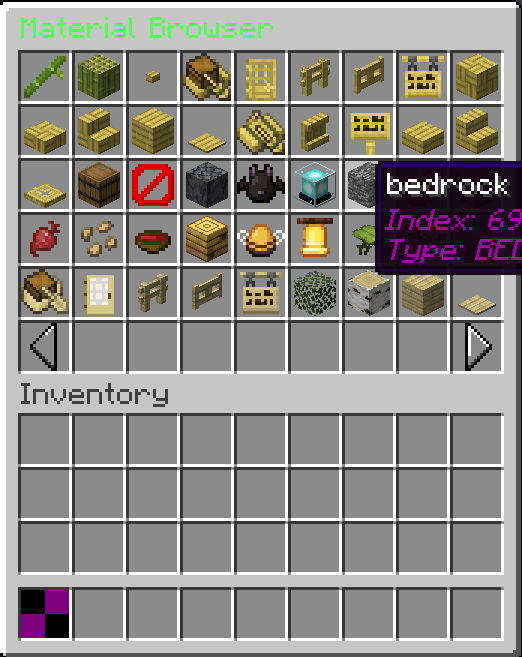
This page covers the usage of PagedLayer<T> inside GUIs. PagedLayer<T> allows for pagination across a specific set of slots, rather than forcing the entire GUI to act as a single paginated menu.
Preparing the data and slots
To create a paginated layer, you need a list of data (your type T) and an array of slot indices where the elements will be displayed.
You can use SlotUtil.grid() to easily generate an array of slots representing a specific rectangular area. For this example, we will paginate a list of all Bukkit Material types.
// 1. Prepare the data list
List<Material> materials = List.of(Material.values()).stream()
.filter(Material::isItem)
.sorted(Comparator.comparing(Enum::name))
.toList();
// 2. Generate a grid of slots in the TOP segment
int[] slots = SlotUtil.grid(GuiView.Segment.TOP, 0, 5, 9, 6, 9)
.stream()
.mapToInt(SlotPosition::index)
.toArray();
Constructing the PagedLayer
Use PagedLayer.of() to construct the layer. You must provide the data list, the slot array, the target inventory segment, and a mapping function.
The mapping function takes your data item and its index, and must return a GuiElement (such as a GuiItem) to display in the slot.
To allow players to change pages, add standard GuiButton elements outside of your defined grid slots. These buttons will call the next() and previous() methods on your PagedLayer instance.